Turn a thought into an English message
Start in Chinese or another language, choose English and a style, then compare two editable translations. Keep the source beside your draft while you make it your own.
How translation works ↗A dedicated Mac workspace for your messages, emails, and prompts. Write here. Paste anywhere.
Download for Mac Made for macOS 14 and later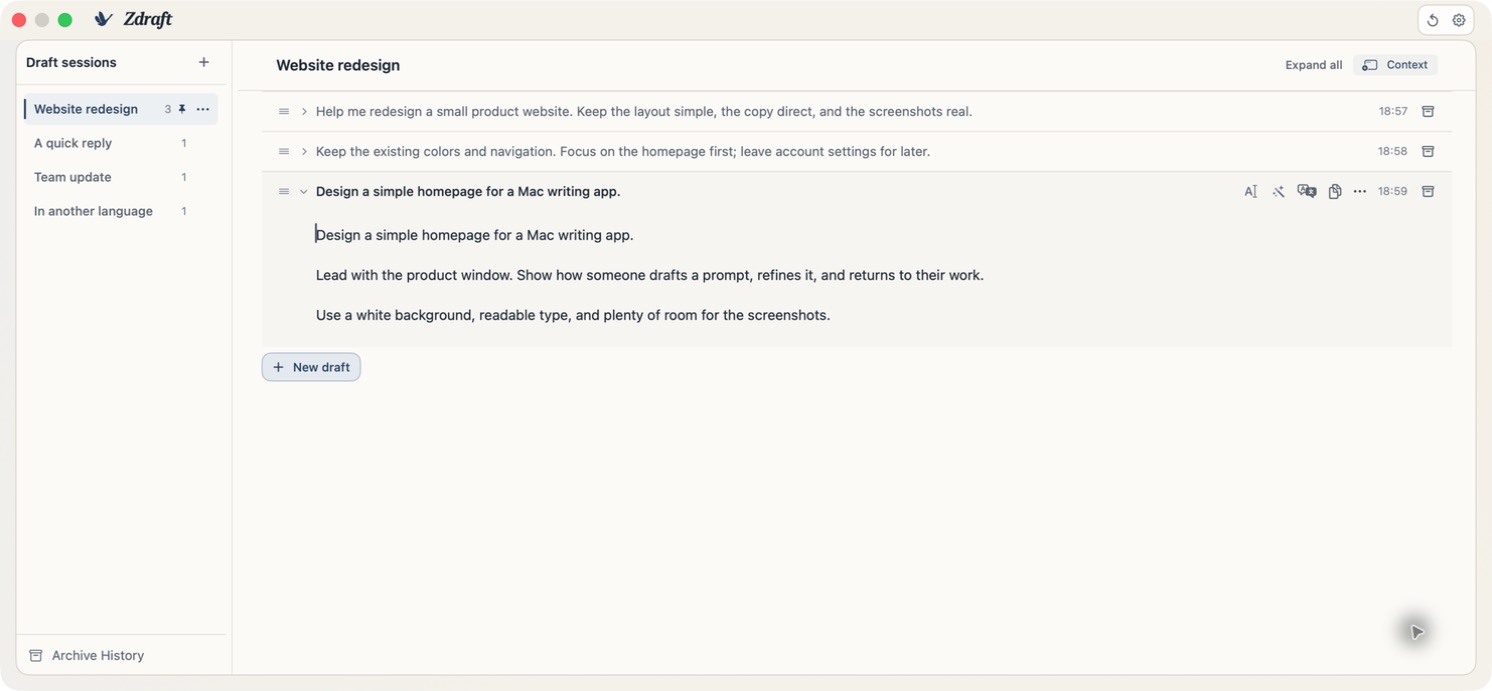
For Mac users writing work updates, replies, and everyday messages, including people working between languages.
Start in Chinese or another language, choose English and a style, then compare two editable translations. Keep the source beside your draft while you make it your own.
How translation works ↗Draft a reply or team update, then use Polish to revise the wording. Review the result before sending it, or undo the polish to return to your original.
How Polish works ↗See inline suggestions in supported text fields on your Mac. Press Tab to accept the next word, and pause completion for one app or everywhere whenever you want.
Where completion works ↗Get suggestions in supported text fields across your Mac. Press Tab to accept the next word.
Open a message in its own writing window, with source and translation side by side.
Attach a window reference to a draft so Completion can follow what you’re working on.
Switch from the Dock or Command-Tab. Minimize, resize, or work in full screen.
Keep related drafts in sessions. Archive finished work and return to it whenever you need.
Drafts and archives are stored locally. AI features use the cloud.